Publisher Has Been Retired. Now What?
Microsoft Publisher Has Been Retired: What to Do Now
Microsoft has officially retired the program, and it affects how you open, edit, and create those files going forward.
What Happened

Microsoft Publisher Has Been Retired: What to Do Now
Microsoft has officially retired the program, and it affects how you open, edit, and create those files going forward.
What Happened

We're thrilled to announce a new series of AI and Productivity Training Webinars created specifically for Housing Authority staff. No tech background required!
Artificial intelligence is changing the way organizations work, and we want to make sure your team feels confident, informed, and ready to take advantage of what it has to offer. Whether you're curious about AI but not sure where to start, or you've already been experimenting and want to learn more, these webinars are designed to meet you where you are.
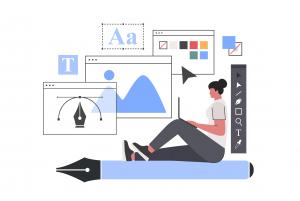
Microsoft Publisher Is Retiring This October: What to Know and What to Use Instead
Microsoft has announced that Microsoft Publisher will be retired in October 2026, marking the end of a product that has been part of Microsoft Office and Microsoft 365 for decades. While some users may feel nostalgic, this change reflects a broader shift toward more modern, flexible design tools that better match today’s needs.

Software is the set of programs and apps that make your computer work, such as email, internet browsers, and office programs. Just like cars need regular maintenance, software needs regular updates to keep working safely and properly. Updating software helps protect your computer, your information, and your ability to get work done.

Artificial intelligence is quickly becoming a useful tool in public service agencies, including housing authorities. Whether staff members are working in property management, Housing Choice Voucher (HCV) administration, inspections, resident services, or back‑office functions, AI can streamline many routine tasks. But because housing authorities work with sensitive resident information and operate in a heavily regulated environment, it’s essential to use AI responsibly.

If your day involves bouncing between emails, tenant files, HUD reports, spreadsheets, and browser tabs, you’re definitely not alone. Housing authority staff juggle high workloads and constant multitasking—and those extra clicks really do add up.
The good news? A handful of simple Windows keyboard shortcuts can save minutes on repetitive actions. Multiply that across a week (or across your whole agency), and the productivity gains become real.

Easy Mobile Editing and Document Creation
Word Mobile allows you to open new or existing housing authority documents right from your phone or tablet. Its simple, touch‑friendly interface makes it easy to type, edit, comment, and format text—helping you stay productive wherever your work takes you.
Even when you're away from your desk, the Dictation feature lets you speak notes or reports instead of typing, which is especially helpful during a meeting so you can pay attention to actually participating in the meeting.

During one of the evening breaks at a recent conference, Alex and I were chatting with a few people from different housing authorities. Eventually, the conversation drifted to AI — as it tends to do these days.
I mentioned that AI and productivity in general don’t have to be complicated. Before you rush out to buy a new app or sign up for another subscription, take a look at the tools you already have. A lot of the time, the solution is sitting right in front of you.
Housing authorities juggle a constant flow of documentation—inspection notes, tenant letters, case activity logs, meeting minutes, and more. At Ultimate IT Guys, we work with housing authorities every day, and we know how valuable it is to save even a few minutes on each document.
One simple tool inside Microsoft Word can make that happen: Dictation.

Housing authority employees write a lot of letters. Rent increase notices, inspection reminders, missing-document requests, payment standards updates, lease violation warnings, reasonable accommodation responses—the list never ends. And while each letter is important, the process of drafting them is repetitive, time‑consuming, and often squeezed between dozens of other urgent tasks.
That’s exactly where AI can step in.